
Back to helpGuide
Add a screen placement
A placement is the spot in the stairwell where a screen hangs. You add it once and receive the PIN that connects the screen to it.
As a video
The video has no sound, the steps appear in it as subtitles.
Step by step
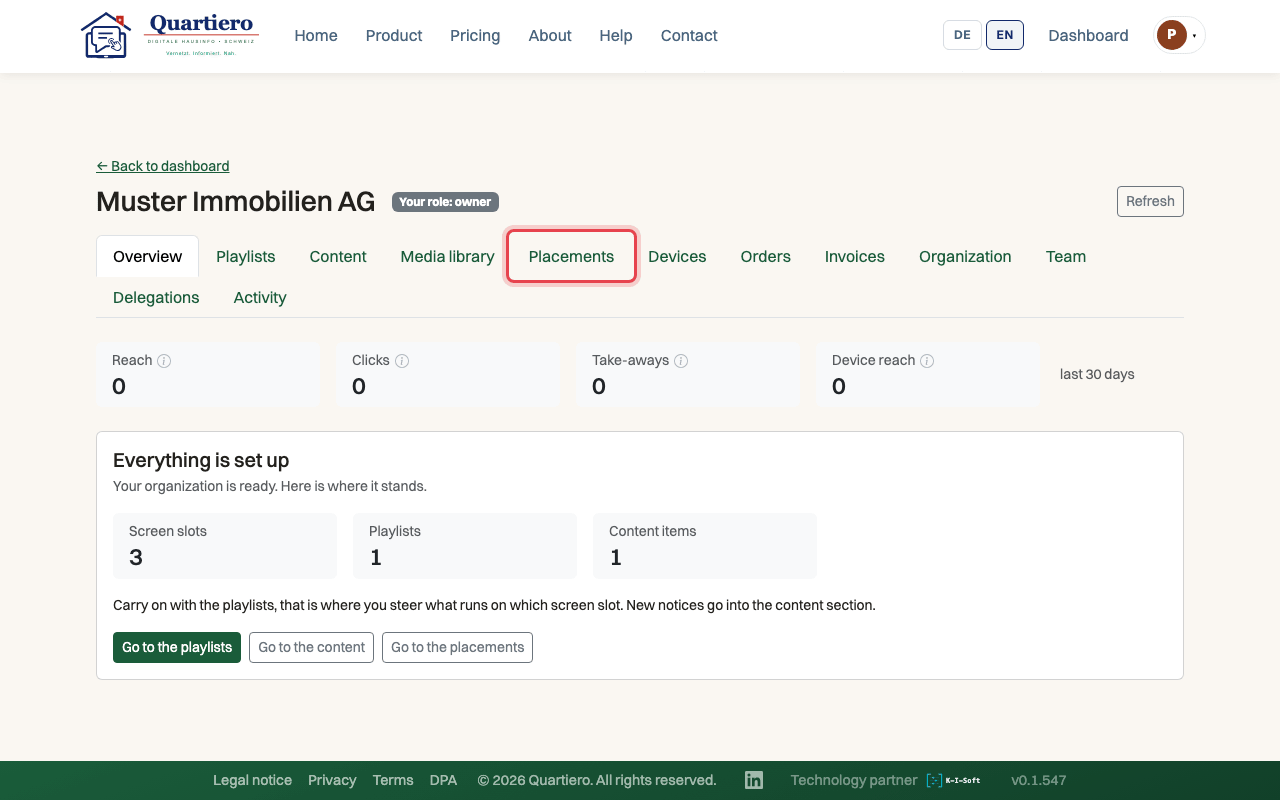
Step 1: Open your organisation and the “Placements” tab.
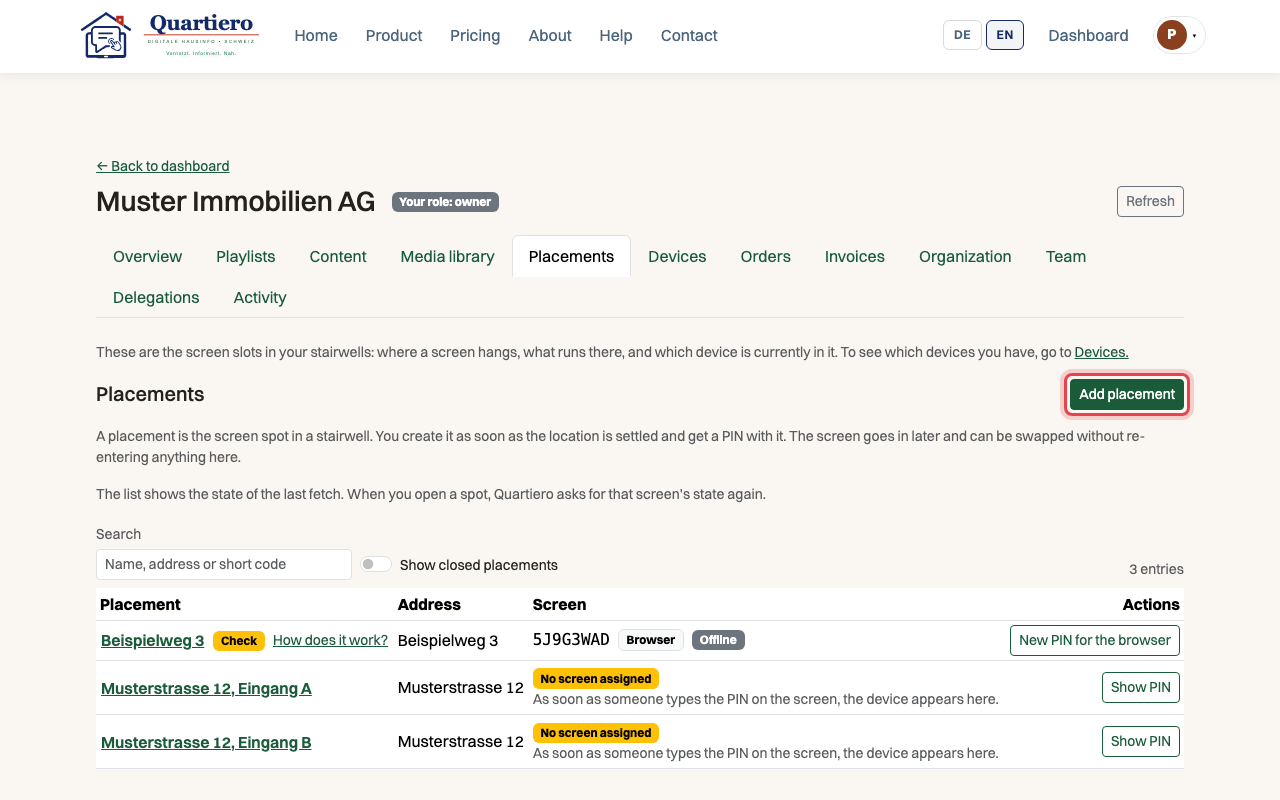
Step 2: Click “Add placement”.
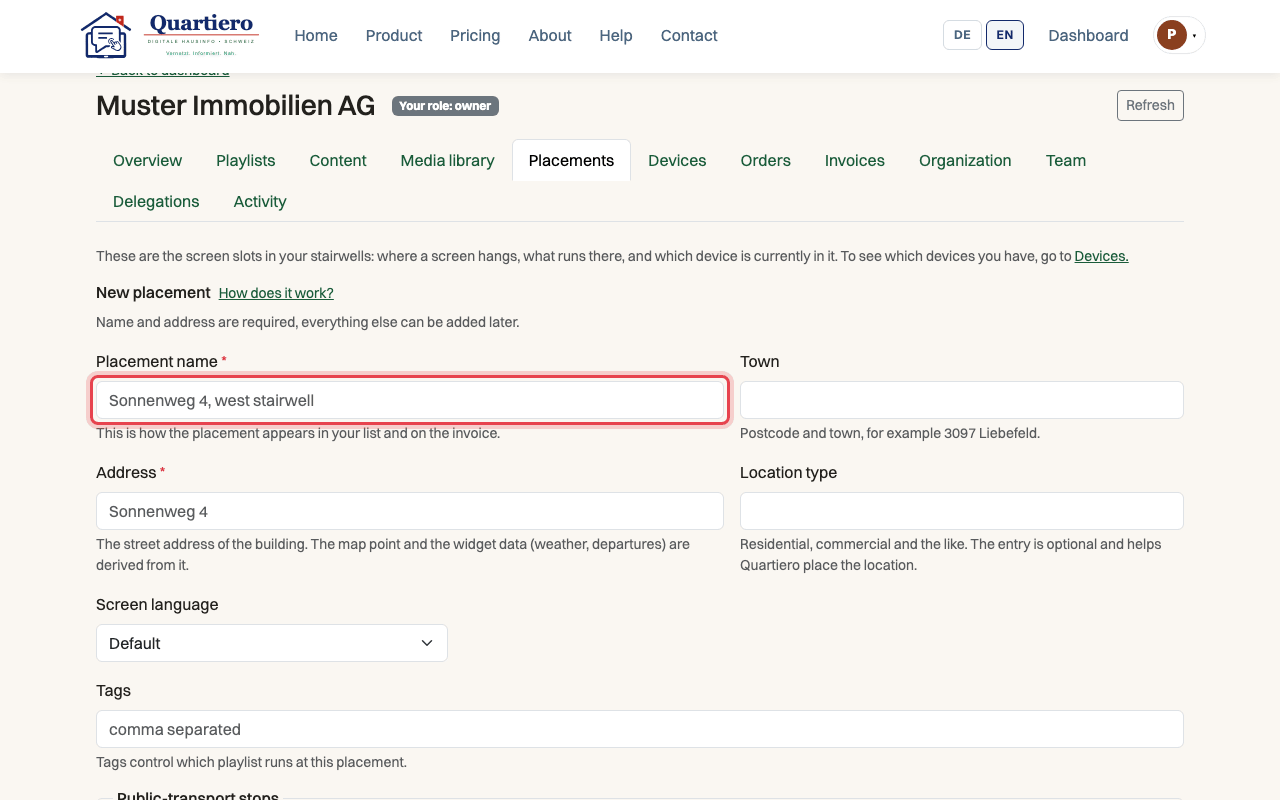
Step 3: Enter a name for the placement and the address of the building.
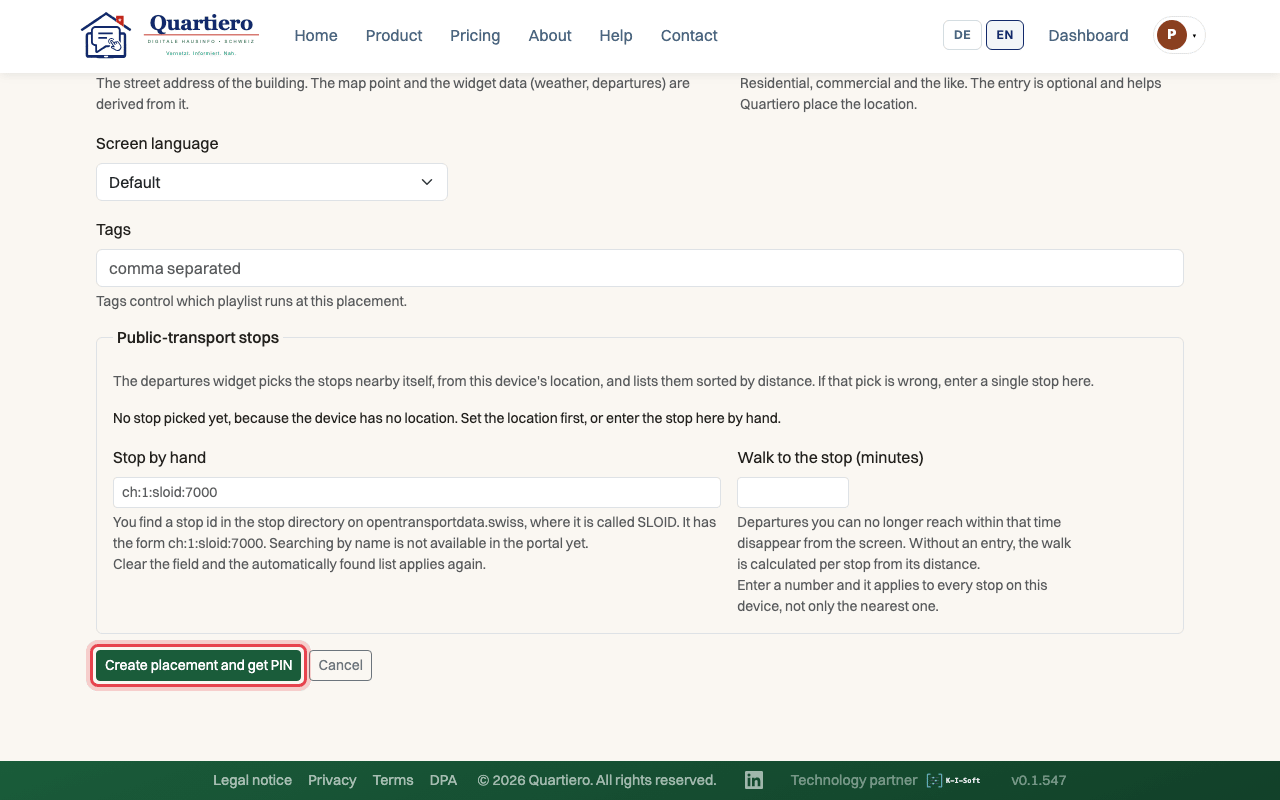
Step 4: Click “Create placement and get PIN”.
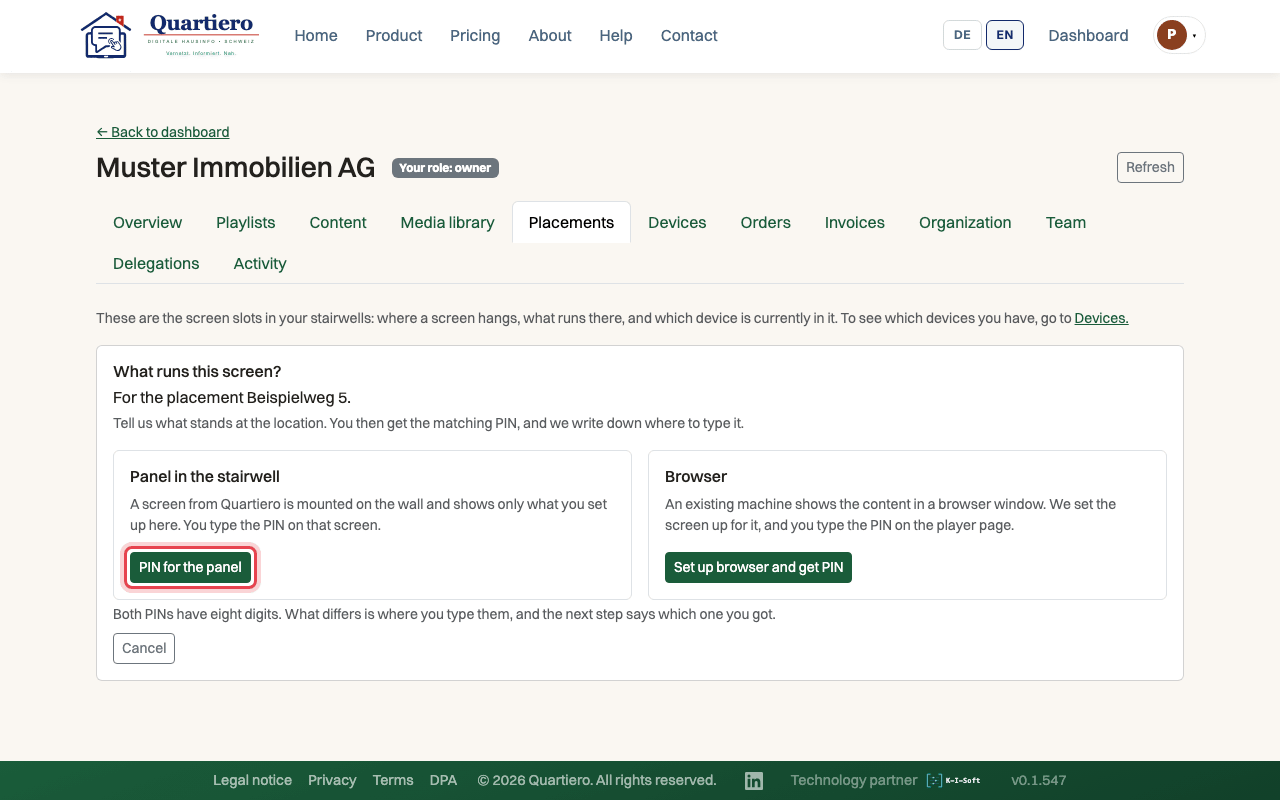
Step 5: For a Quartiero screen on the wall, choose “PIN for the panel”.
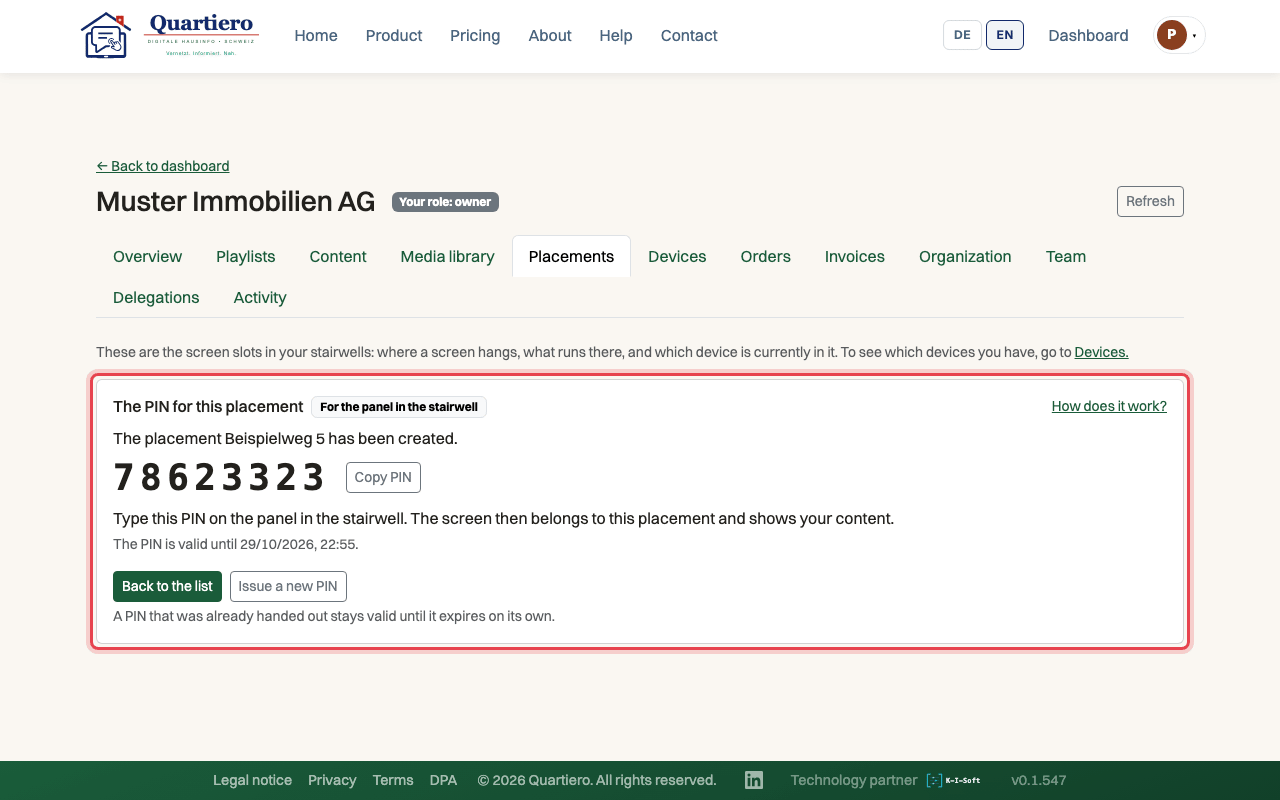
Step 6: Note the eight-digit PIN, it is valid for 24 hours.
Stuck at some point? Then write through the contact page. Get in touch