
Back to helpGuide
Connect a screen to its placement
A new screen shows “Device ready” after it is switched on and waits for a PIN. The PIN of the placement connects it, and then it shows your content.
As a video
The video has no sound, the steps appear in it as subtitles.
Step by step
Step 1: In the “Placements” tab, open the placement where the screen hangs.
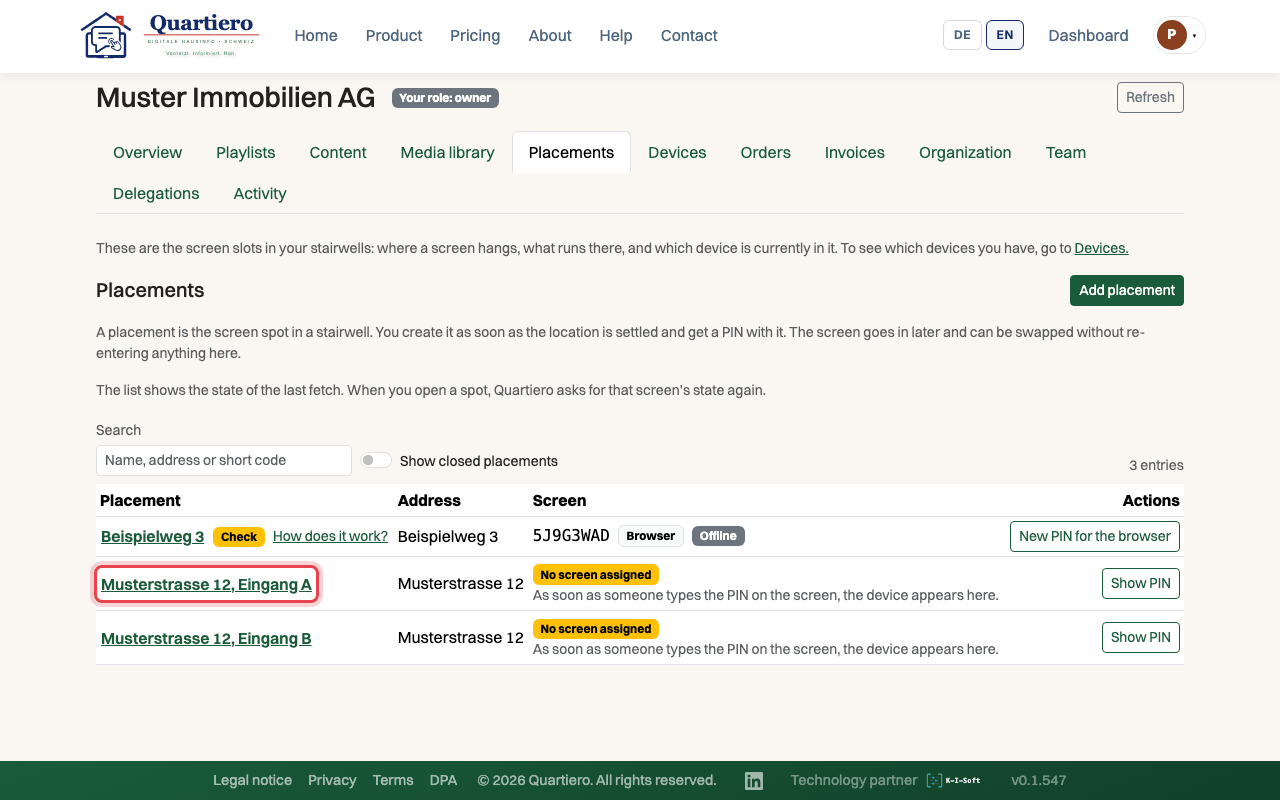
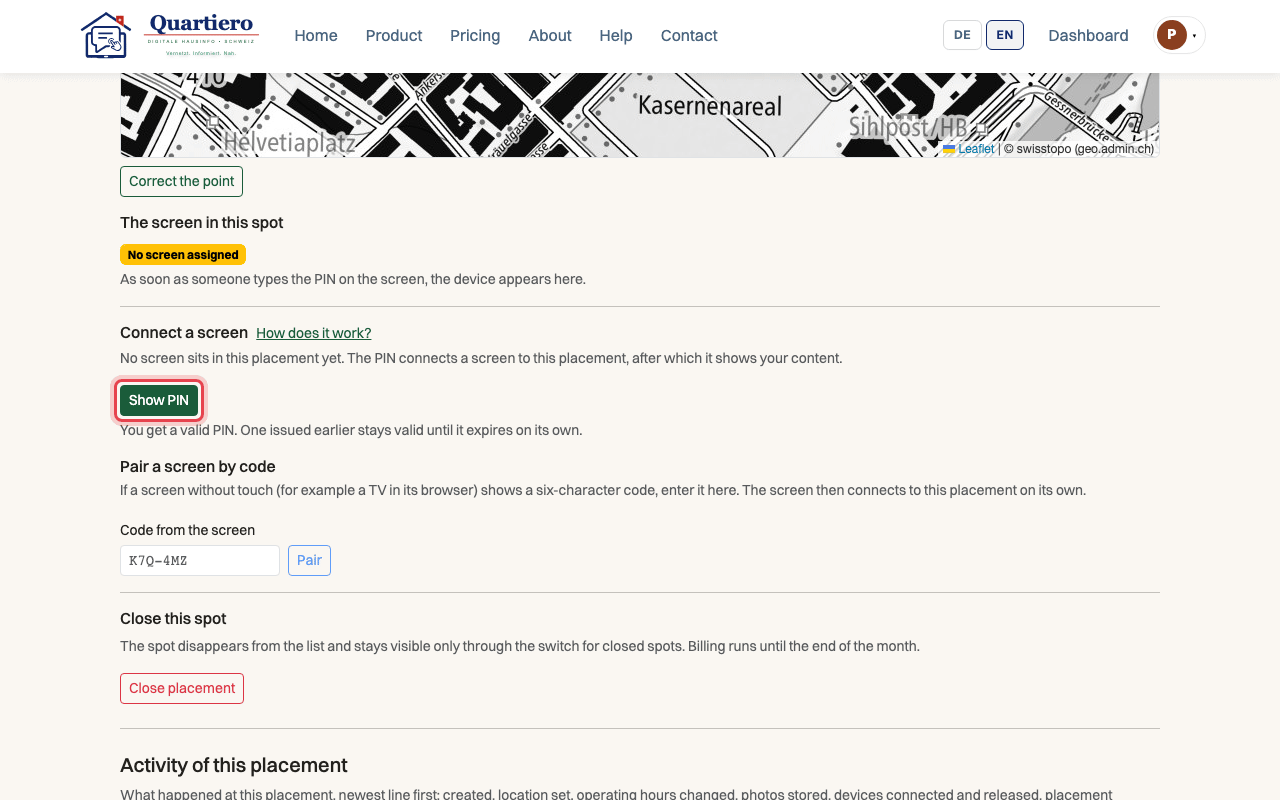
Step 2: Under “Connect a screen”, click “Show PIN”.
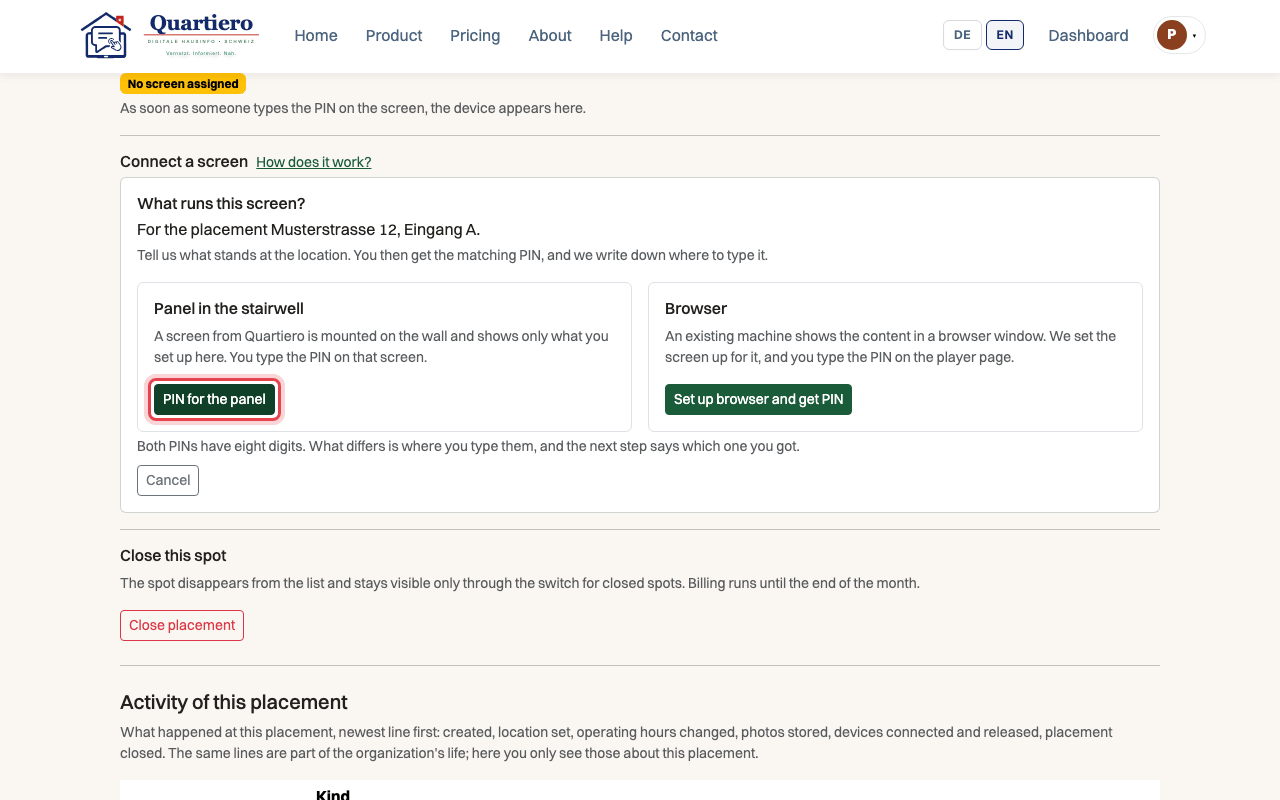
Step 3: Choose “PIN for the panel”.
Step 4: Type the eight digits on the screen and press “Connect”.
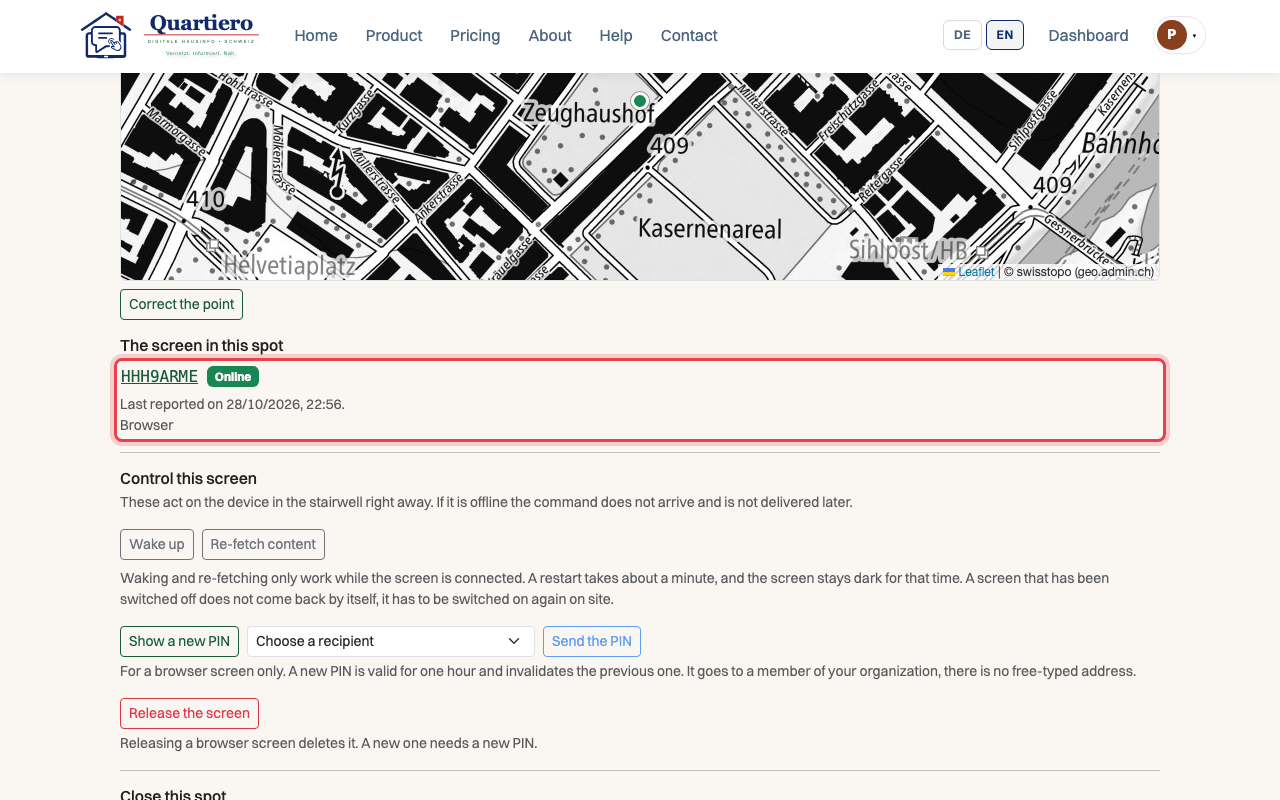
Step 5: After “Refresh” the placement lists the screen with its short code and “Online”.
Stuck at some point? Then write through the contact page. Get in touch