
Back to helpGuide
Set up the widget strip
Next to your notices the screens show small widgets with the clock, the weather and the next departures. You decide which of them run and in which order.
As a video
The video has no sound, the steps appear in it as subtitles.
Step by step
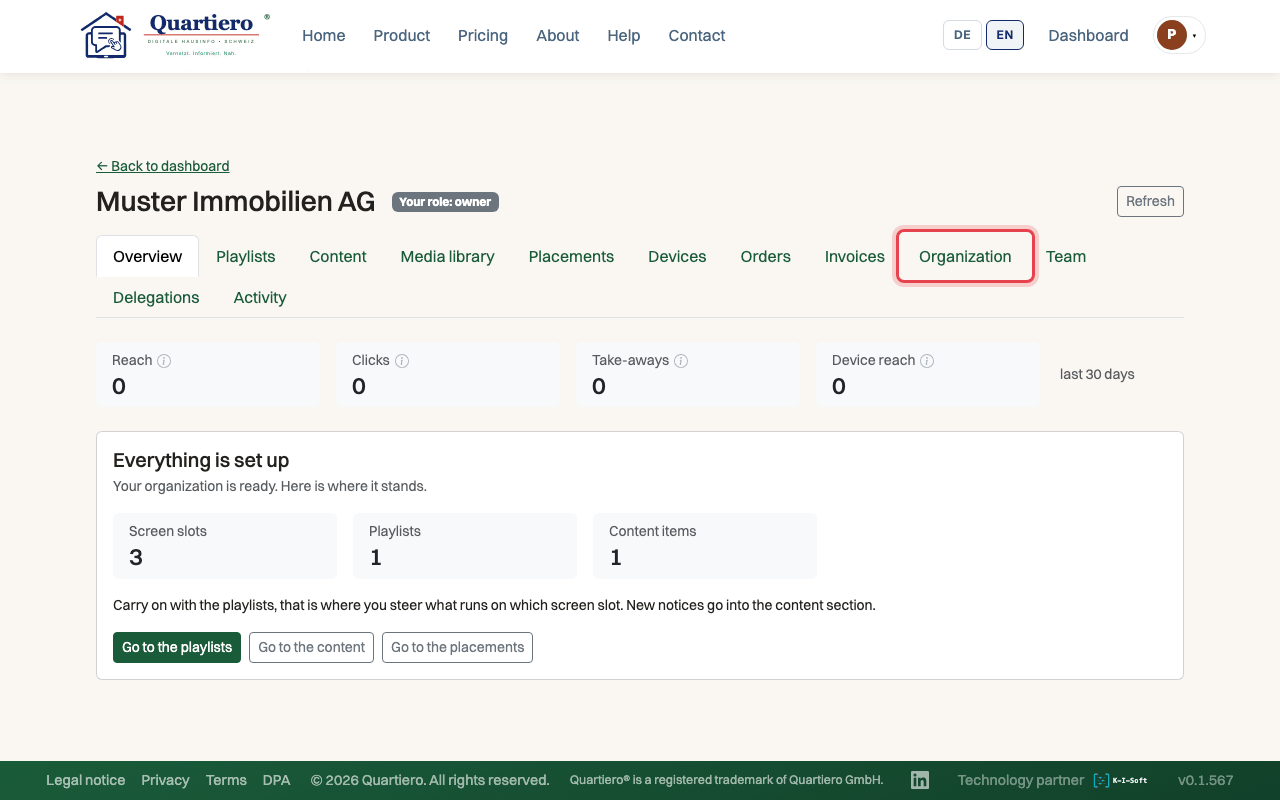
Step 1: Open the “Organization” tab.
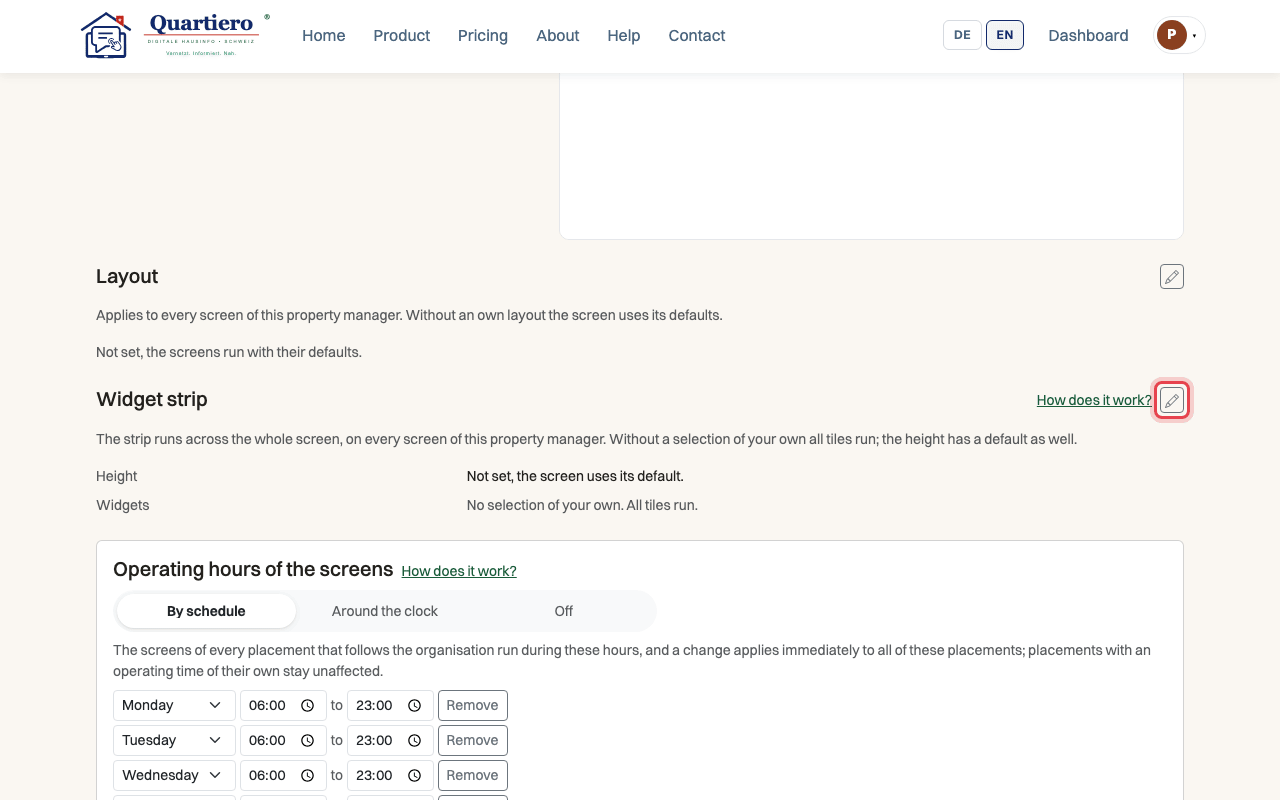
Step 2: Click “Edit” next to the “Widget strip”.
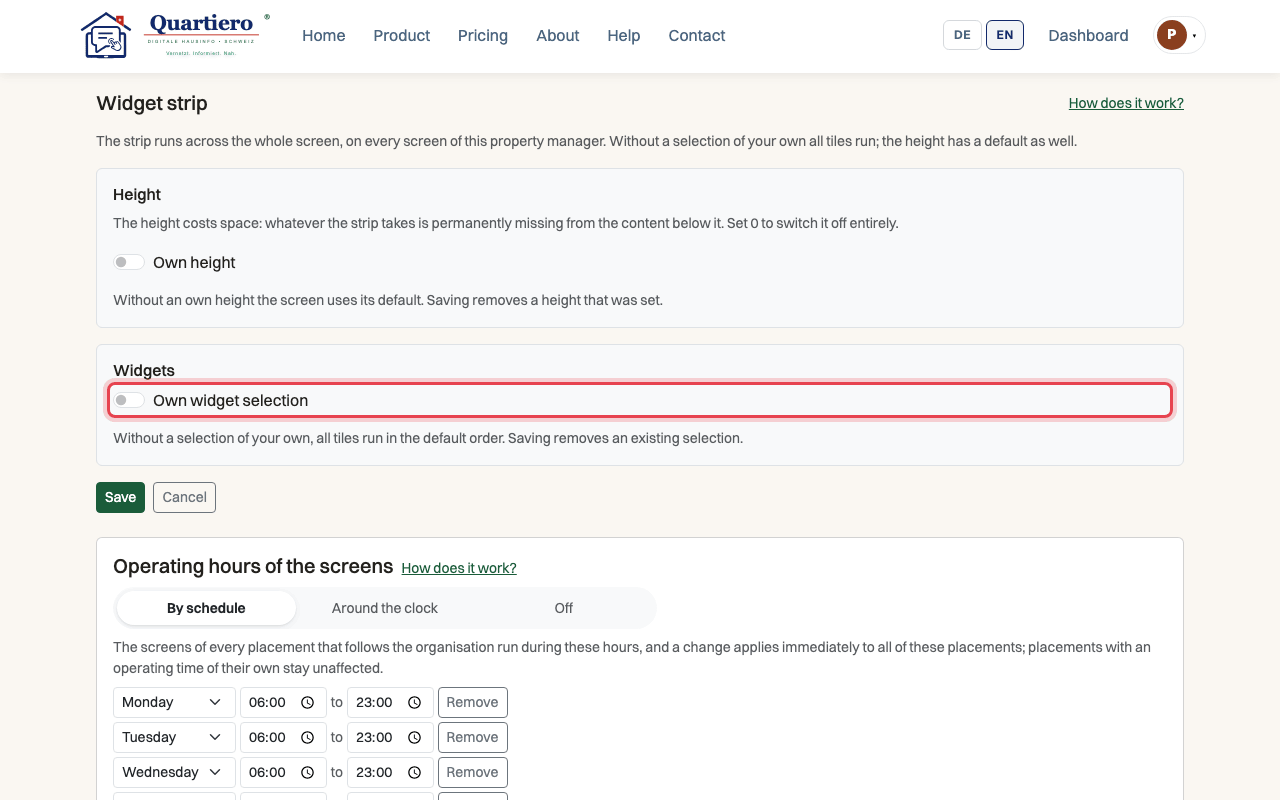
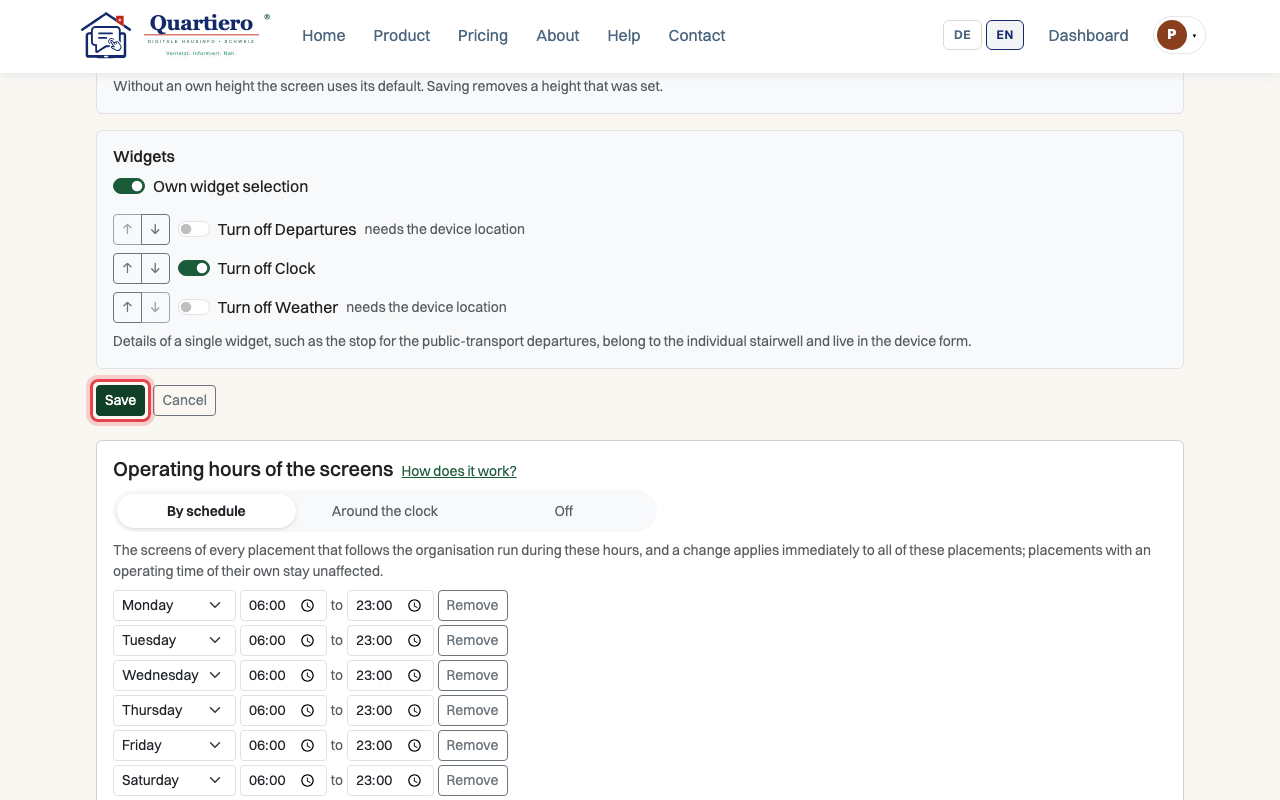
Step 3: Switch on “Own widget selection”.
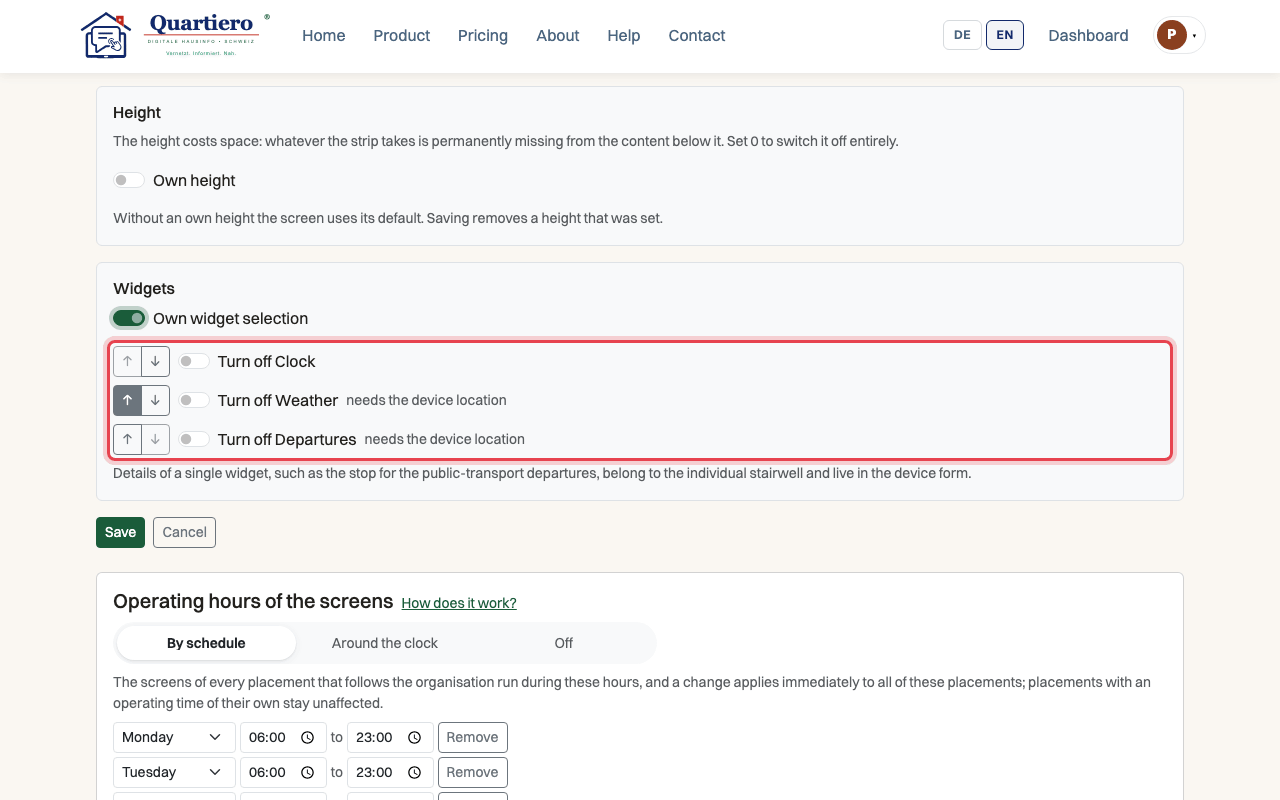
Step 4: Turn off the widgets you do not need and order the rest with the arrows.
Step 5: Click “Save”.
Stuck at some point? Then write through the contact page. Get in touch